A tattoo is one of the few pieces of art a person carries with them permanently, which makes the design stage feel higher stakes than almost any other creative project. Scrolling through generic flash sheets rarely captures what someone actually wants — a specific memory, a personal symbol, a feeling that doesn’t have an obvious visual shorthand.
A free image generator changes that by letting you describe the idea in your own words and see it rendered instantly. Dreamina is especially useful here, translating personal, sometimes abstract concepts into clean, tattoo-ready linework and shading.
Let’s turn a personal idea into a design worth wearing forever.
Why a personal brief matters more than a style reference
Most people start tattoo research by browsing existing designs, but the strongest custom tattoos begin with a story instead of a style. What does the design need to represent? A relationship, a milestone, a personality trait, a place? Starting from meaning rather than aesthetic gives the final design a reason to exist beyond just looking good.
Translating a memory into visual symbols
Abstract feelings rarely translate directly into imagery, so it helps to break them into concrete symbols first.
- A relationship might become two intertwined shapes or linked lines
- A milestone might become a specific object, date, or landscape
- A personality trait might become an animal, plant, or natural element
Once you’ve chosen your symbols, combining two or three of them into one composition usually produces a far more distinctive design than relying on a single generic icon.
Dreamina’s design engines, explained simply
Dreamina isn’t built around a single model — it offers a few different engines, and picking the right one changes how your tattoo concept turns out.
Seedream 5.0 Pro is the newest and generally the strongest choice for tattoo work, particularly because of how cleanly it renders linework and how well it keeps symmetrical compositions balanced, which matters enormously for a design meant to sit evenly on skin.
Nano Banana works well when you want to quickly test several rough concepts before narrowing down to one direction, since it renders fast without heavy detail overload.
GPT Image 2 is a strong pick when your idea includes several specific symbolic elements you want combined precisely, since it tends to follow detailed, multi-part prompts closely.
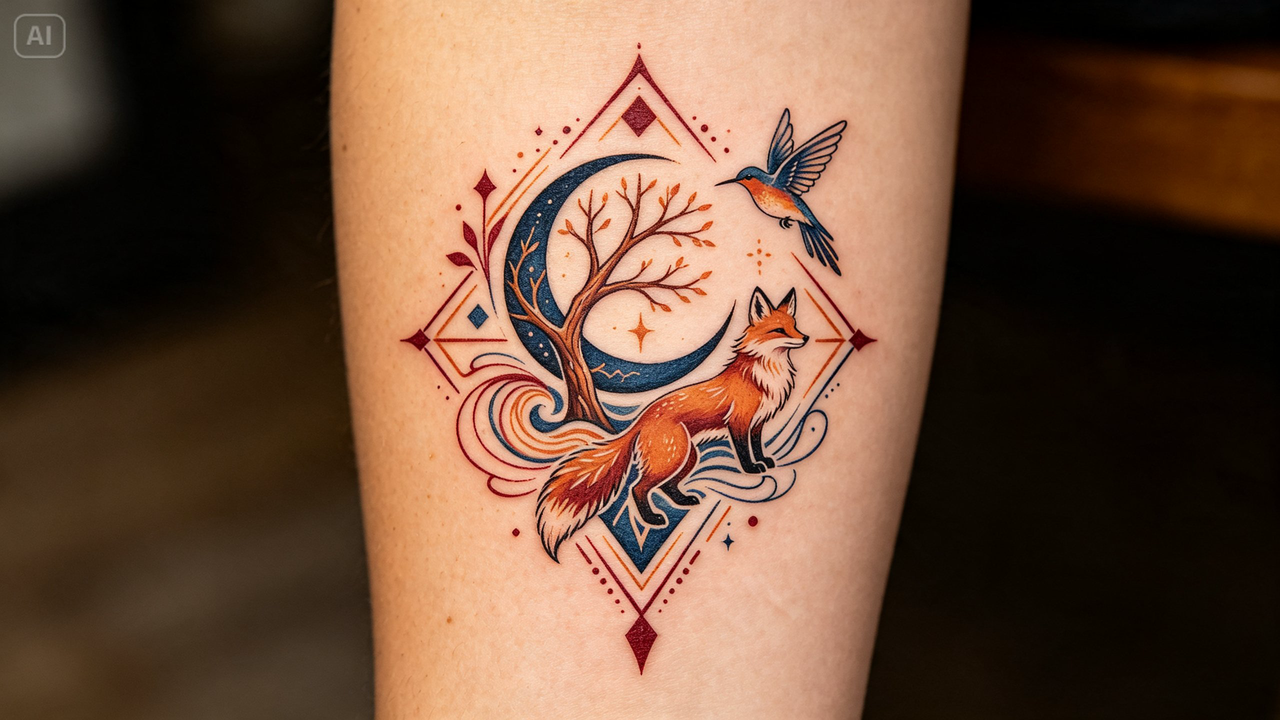
From personal idea to finished design in three moves
Dreamina keeps the design process approachable, even if you’ve never drawn anything in your life.
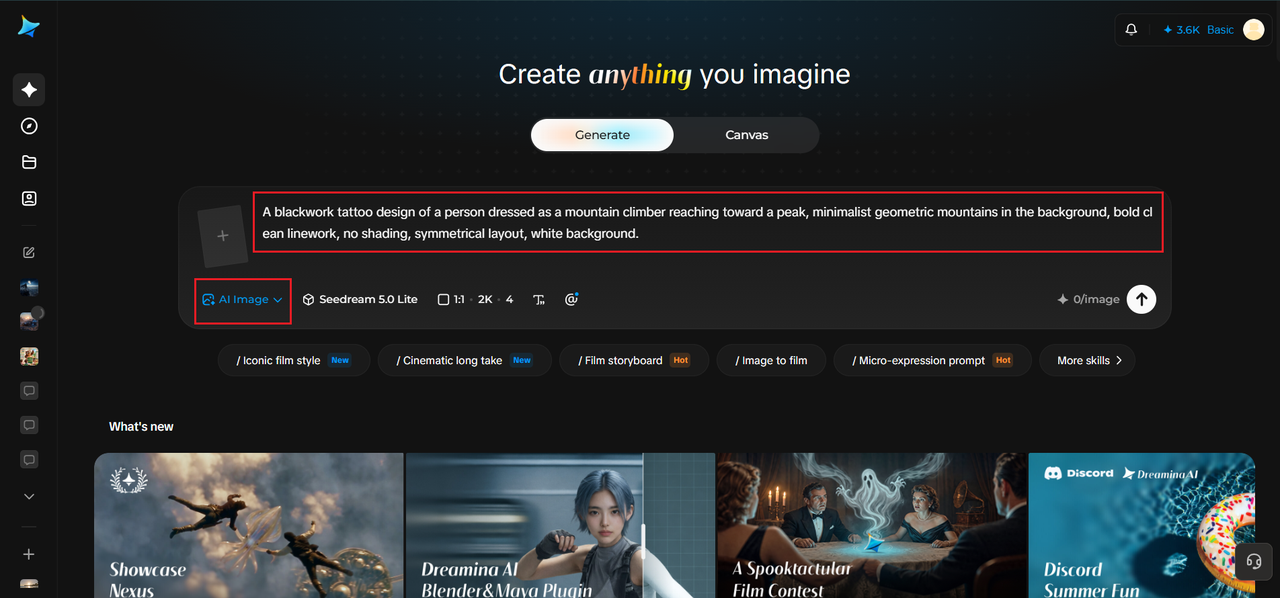
Step 1: Write a text description
Go to Dreamina and describe your tattoo concept in detail — the subject, the style (fine-line, bold traditional, blackwork), and the composition. If you have a rough sketch or reference photo of a similar style, upload it alongside your prompt.
For example: A blackwork tattoo design of a person dressed as a mountain climber reaching toward a peak, minimalist geometric mountains in the background, bold clean linework, no shading, symmetrical layout, white background.
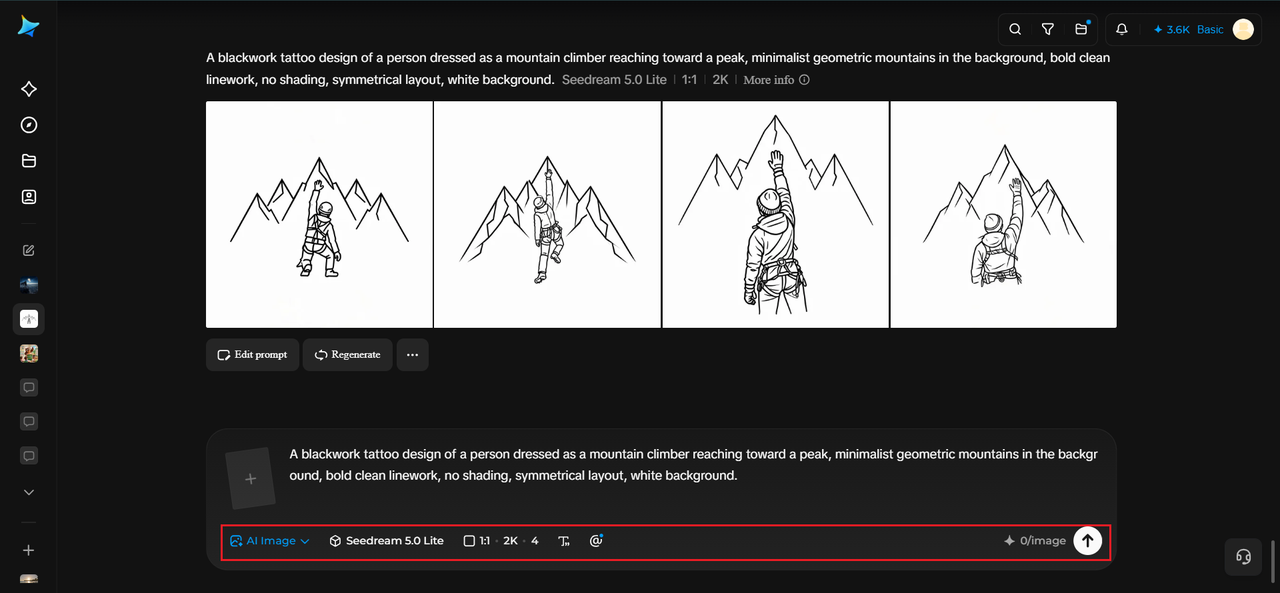
Step 2: Adjust parameters and generate
Select Image 5.0 Pro, powered by Seedream 5.0 Pro, for precise linework and clean composition, then set your aspect ratio, canvas size, and resolution — 1K for a quick look, 2K if you plan to bring it to a tattoo artist for reference. Click the generate icon to create your design.
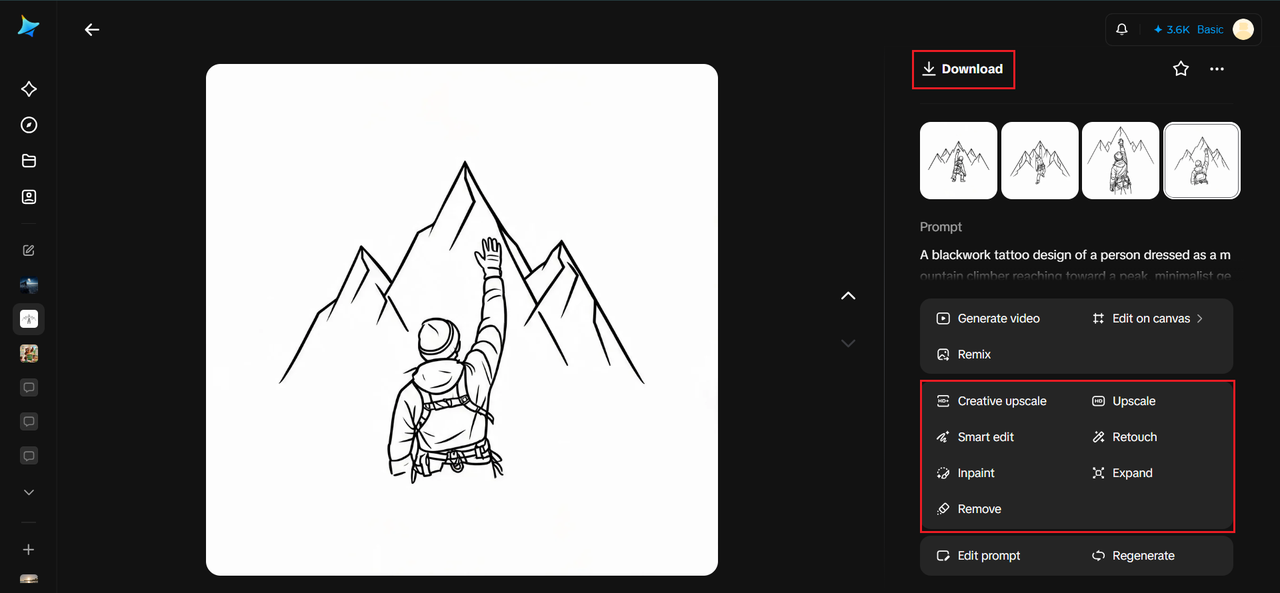
Step 3: Customize and download
Refine the result using Dreamina’s tools: inpaint to adjust specific linework or shading, expand to give the design more breathing room, remove to simplify overly busy areas, and retouch for a cleaner final look. Once it’s ready, click Download.
Picking a style that fits the meaning, not just the trend
Different tattoo styles carry different emotional weight, and matching style to meaning makes the final piece feel intentional.
- Fine-line suits delicate, sentimental concepts
- Bold blackwork suits strength, resilience, or transformation themes
- Botanical or nature-based styles suit growth, memory, or connection to a place
Understanding symbolism better than its straightforward meaning
An impressive tattoo does not necessarily have to signify its meaning explicitly. Your favorite place might be depicted in the form of a specific flower, building element, or shape of a landscape, while your personal journey might be associated with multiple seasons, curvy roads, or the constantly changing shape of nature. An elaborate combination of images adds uniqueness to the tattoo design, but its story will not be obvious immediately.
Generating various sketches
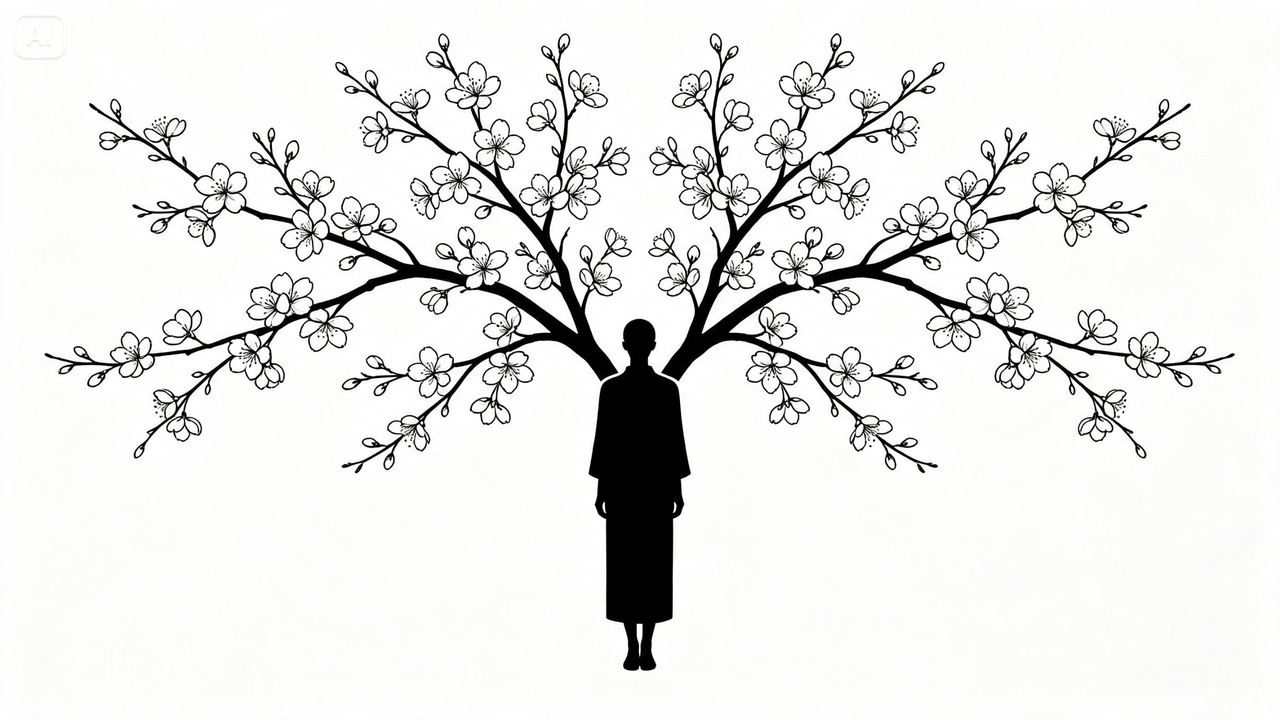
One benefit of creating tattoos digitally is the ability to try out and compare various options before settling on one of them. Make sure that the main idea of the tattoo stays the same although its composition, as well as its symbols, thickness of lines, and level of detail, might vary from one version to another.
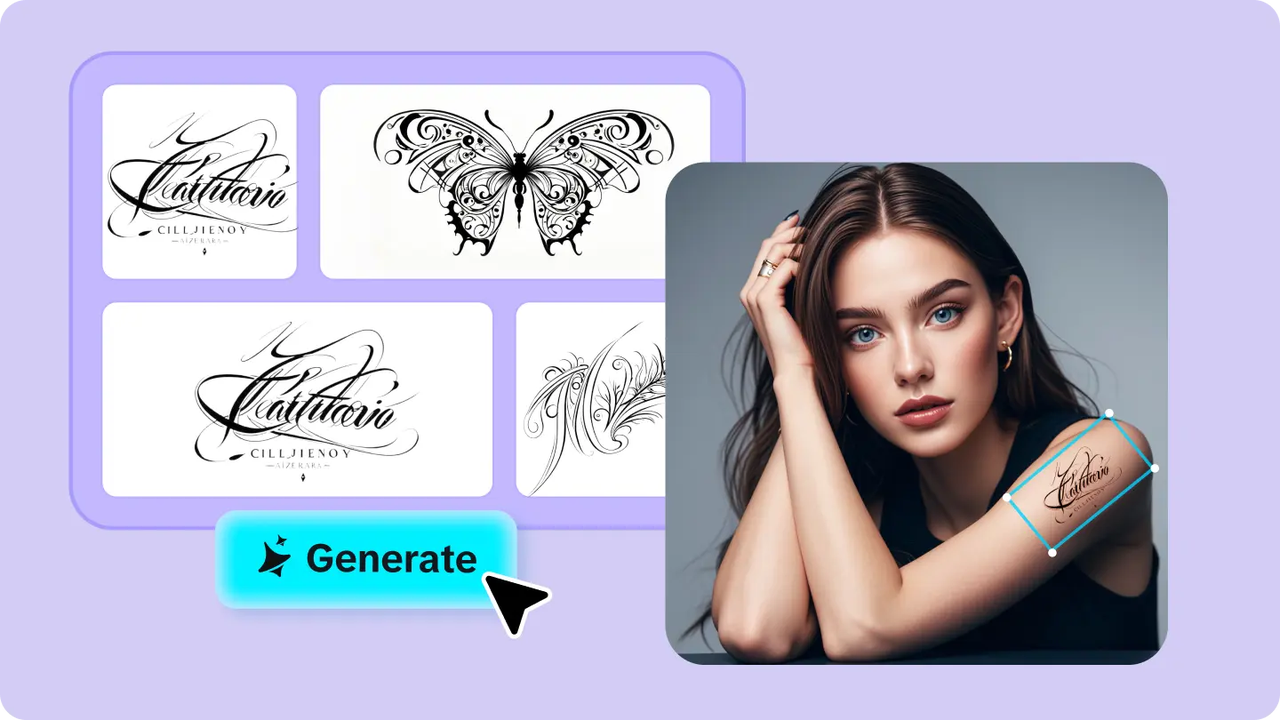
Thus, you can use a single idea and turn it into many versions such as a delicate tattoo in a fine line style, a bold one in blackwork, or a simple geometric pattern.
Testing placement before committing
Once you have a design you like, describing it wrapped around a specific body part — a forearm, a collarbone, a shoulder — can help you visualize scale and flow before ever sitting in a tattoo chair. This step often reveals whether a design needs to be simplified or stretched to fit naturally.
Bringing your design to a real artist
A generated image is a starting point, not a finished tattoo file. Bring your Dreamina render to a professional tattoo artist, who can adjust linework for skin longevity, ink spread, and technical feasibility while preserving the concept you designed.
A design that means something, made your way
Generic flash sheets were never going to capture a personal story the way a custom concept can. With Dreamina and the clean precision of Seedream 5.0 Pro, you can turn a memory, a feeling, or an idea you’ve carried around for years into a real, wearable design — and it’s free to start sketching it out today.